Backup software for PC
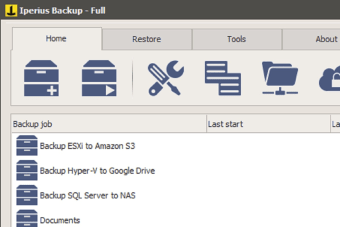
Iperius Backup is a backup software that was developed by Enter Srl. It was created to serve as a data management solution for PC devices. It lets users back up their data from various devices and sources, as well as being able to automate the entire process through set intervals. You can choose to extract data from external USB drives, local data servers such as NAS, and networked computers, to name a few.
Top Recommended Alternative

What is Iperius Backup?
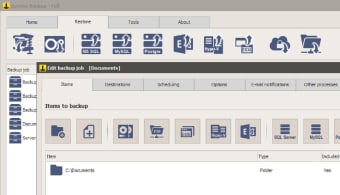
Iperius Backup is an all-in-one solution for various backup needs and requirements and can be used for computer devices. It allows you to create a backup of your data from any type of mass storage device, such as NAS, external USB hard drives, RDX drives, and networked computers. You can schedule and automate this process however you wish, and the app will even send you a notification via email when a successful backup has been made.
Aside from its supporting all types of files, Iperius Backup can also create compressed zip files without any size limit. The created copies of your data can be transferred to other devices, as well. You have the option of having it copied in its entirety or incrementally. One handy little feature is that it supports files with paths longer than 255 characters—this will prove useful for data that are located inside multiple folder hierarchies.
While this version of Iperius Backup is free, it does have some limitations. For one, it can’t be installed and used as a service. Another is that there is no data syncing across devices. If these features matter to you, you can opt to upgrade your version and purchase a license. You also get the added benefit of cloud storage like Google Drive, as well as being able to manage disk images, servers, and databases.
New features
The latest version of Iperius Backup now allows the backup and restoration of files on Microsoft Office 365. At the same time, minor bugs have been fixed and the speed rate at which some file types get backed up has been improved significantly.
A versatile and powerful backup solution
If you’re looking for a capable backup tool for your PC, Iperius Backup would be a top choice. It supports various storage devices, it can be scheduled to automate backups, and it can even compress your data to save some space. If you decide to upgrade and purchase a license, it would be well worth it for all the added features you get.



.png)